Mastering Academic Skills
Build structure. Study intentionally. remember more.
Explore practical ways to approach course readings, remember information, organize your materials, and build study habits that work with your brain.
What would you like help with?
01 | Reading & Memory
“I read the same page multiple times without absorbing anything.”

Make reading more active.
Instead of passively moving through a chapter, give yourself a reason to engage with the material.
Skim First
Before reading:
– Preview the headings
– Read summaries
– Note bolded terms & key concepts
Read and listen
– Try using a text-to-speech tool while following along with the text visually.
– Engaging multiple senses can help you stay attentive and process information more effectively.
Read with a pen
– Keep a pen or highlighter nearby as you read
– Underline important ideas
-Write questions in the margins
– Jot down unrelated thoughts so they don’t interrupt your focus
Write it down
– When you remember an assignment, have a question, or think of something important, write it down immediately.
– Keeping a written record helps reduce the mental effort of trying to remember everything all at once.
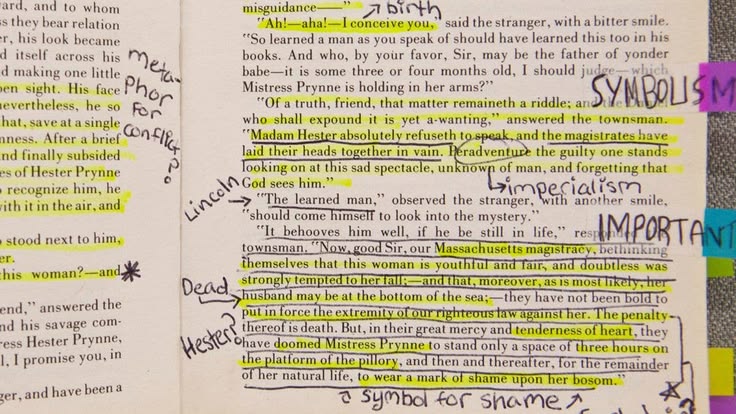
Try the active reading method:
- Preview the chapter headings and summary.
- Read one section at a time.
- Underline important ideas and write questions in the margins.
- Pause and summarize the section in your own words.
Read to understand, not just to finish.
Make Information Stick
Explore different ways to review what you’ve learned.
Flashcards
———————————–
Practice retrieving information from memory.
Teach It Aloud
———————————–
Explain concepts in your own words.
Concept Maps
——————————
Connect related ideas visually.
Spaced Review
———————————-
Revisit material over several days.
Tackling dense course material?
You don’t have to work through difficult material alone. The UCAE offered peer-based academic support.
Tutoring
Work one-on-one with a peer tutor to review course concepts and clarify difficult material.
Schedule tutoring through Connect and view the drop-in tutoring schedule on our website. ->
Peer Assisted Learning (PAL)
Attend collaborative group sessions for courses led by students who have taken the class before and are now leading timely study sessions on the most critical course concepts.
Explore PAL courses and schedule ->
02 | Organization
“My digital files, browser tabs, and notes are a scattered mess.”
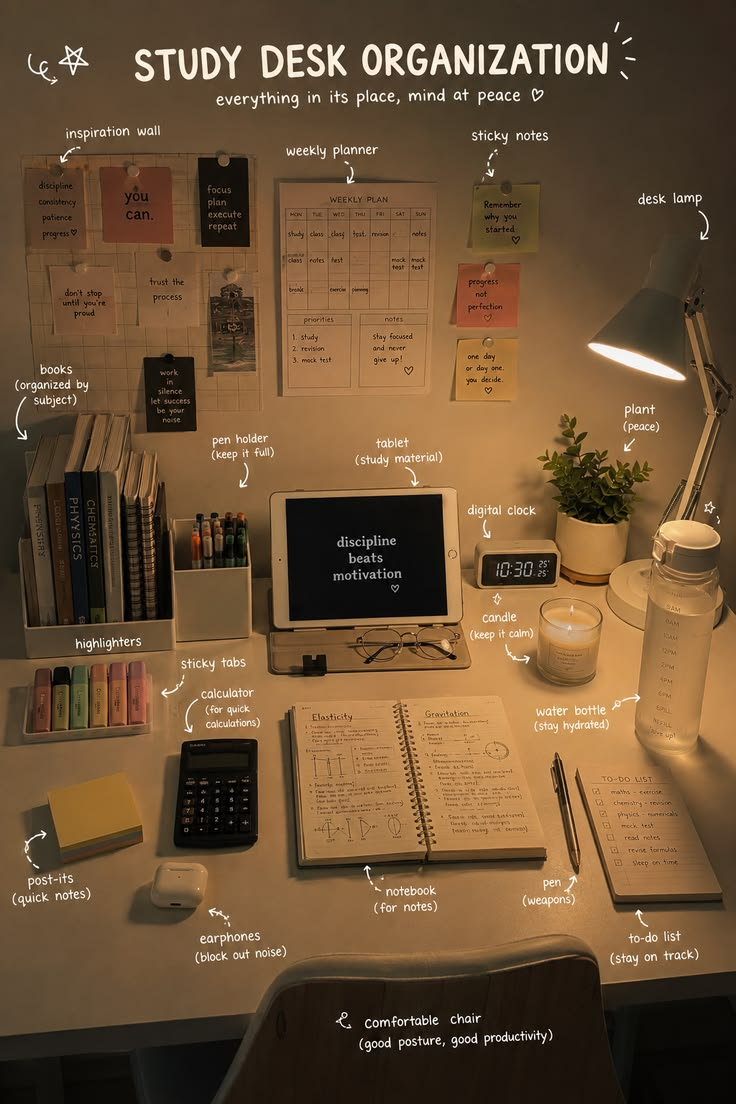
A consistent organization system makes it easier to find what you need, keep track of assignments, and spend less time searching for materials.
Organize Your Digital Life
01 | Browser Tabs
- Close out tabs you aren’t currently using
- Bookmark websites you don’t want to lose by making them icons on your desktop so they are no longer hidden on a bookmark list.
- Group tabs by course or assignment.
- Save articles and resources for later instead of leaving everything open
- Use software like NotebookLM to create a repository by course or by subject of the websites, articles, and other resources you want to reference
QUICK RESET: Close five unnecessary tabs and bookmark three useful websites.
CHALLENGE: Try closing out your web browser at the end of every day.
02 | Digital Files
- Choose one main storage platform, such as Google Drive or Microsoft OneDrive
- Create folders for each semester and course
- Use recognizable file names
- Organize new files as soon as you download or create them
- Periodically delete outdated duplicates
03 | Class Notes
Find a note-taking system that works for you
Cornell Notes
Separate notes, questions, and summaries
Outlining
Organize information with headings and subheadings
Concept Mapping
Connect ideas with visual diagrams
Digital Notes
Keep searchable notes in one organized location